Video review · video.techies.tools
Video Review
Review recordings word by word.
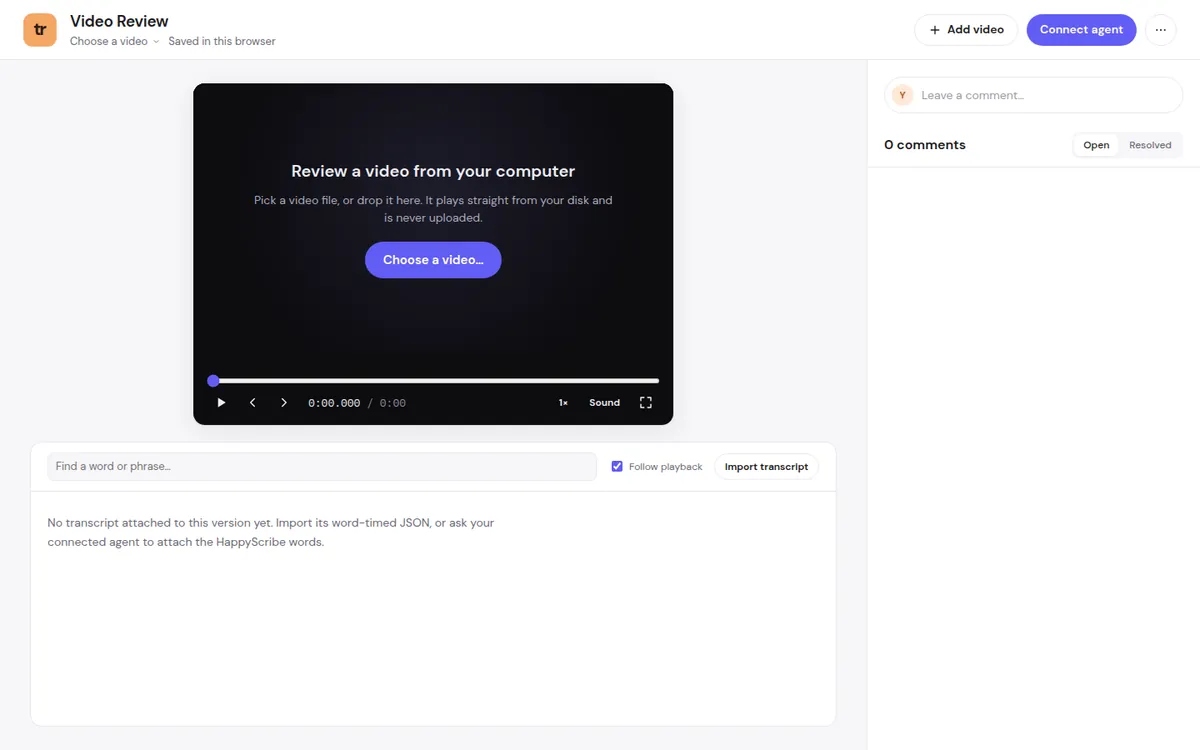
Watch a recording next to its word-timed transcript, comment on exact moments, and mark what to cut.
Why it exists
The problem, and how Video Review fixes it
The problem
Reviewing a recording means scrubbing back and forth, writing down timecodes by hand, and sending huge video files to whoever helps you edit.
The fix
The video plays straight from your computer beside its transcript. Comment on exact moments, select words to cut, and export the comments and cut list.
What it does
Everything in Video Review
Comments on the timeline
Comment on an exact moment or a range, step frame by frame, and mark comments resolved.
Cut from the transcript
Select words to cut, shorten pauses, flag retakes, and export the cut list.
Find anything
Search across every video title and transcript.
Works with your AI assistant
Connect your assistant to read the comments and suggest changes.
Security and privacy
Where your data lives
- Videos play from your computer and are never uploaded.
- Comments and transcripts are saved in your browser. Download a backup at any time.
- A connected assistant reaches this tab through a relay; video files never pass through it.
No ads, analytics, or tracking cookies.
Where to find it
Address, code, and price
- Address
- video.techies.tools
- Licence
- Free to use. The code is not public yet.
- Price
- Free
Who makes this
Made by Lex
Hi, I'm Lex. I run Techies Reviews, where I test and explain web tools on YouTube and techies.review.
When a tool works well enough for me, I put it here for free.

More from Techies