Design tool · techies.tools
Framework
Your design, written down once.
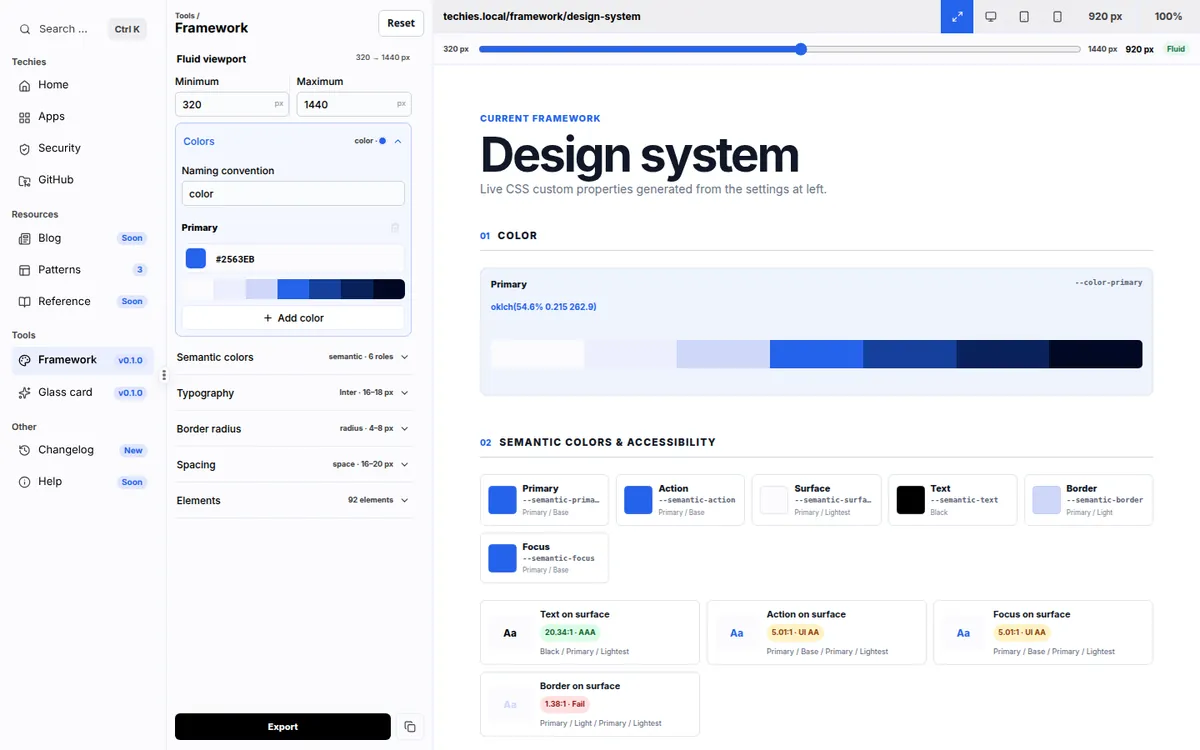
Choose your colors, fonts, spacing, and the look of every HTML element in one place. Export them as plain CSS plus an AI-ready guide, so any website or AI assistant can follow your design.
Why it exists
The problem, and how Framework fixes it
The problem
AI tools and templates make every website look the same, and they forget your choices from one page to the next.
The fix
The Framework records your design choices once and hands them to any website or AI assistant as plain files you own.
What it does
Everything in Framework
Colors that do a job
Build a palette, then give colors jobs such as text, buttons, borders, and focus rings. Contrast is checked for you.
Type and space
Pick from the Google Fonts catalog and set text sizes, spacing, and rounded corners that grow smoothly with the screen.
92 HTML elements
Shape headings, forms, lists, tables, media, and more, and see each one on a realistic sample website.
Ready for AI
Export tokens.css, elements.css, components.css, and a context.md guide that AI assistants can follow.
Security and privacy
Where your data lives
- No account. Your Framework is saved only in your browser.
- Exports are files you download and own. There is no database.
- Fonts you pick load from Google Fonts.
No ads, analytics, or tracking cookies. This page asks GitHub for the public star count.
Where to find it
Address, code, and price
- Address
- techies.tools
- Licence
- MIT: free to use and repurpose, at your own risk
- Price
- Free
Who makes this
Made by Lex
Hi, I'm Lex. I run Techies Reviews, where I test and explain web tools on YouTube and techies.review.
When a tool works well enough for me, I put it here for free, and I share its code on GitHub so you can see exactly what it does.

More from Techies