WordPress test bench · play.techies.tools
Techies Playground
Test premium WordPress plugins in seconds.
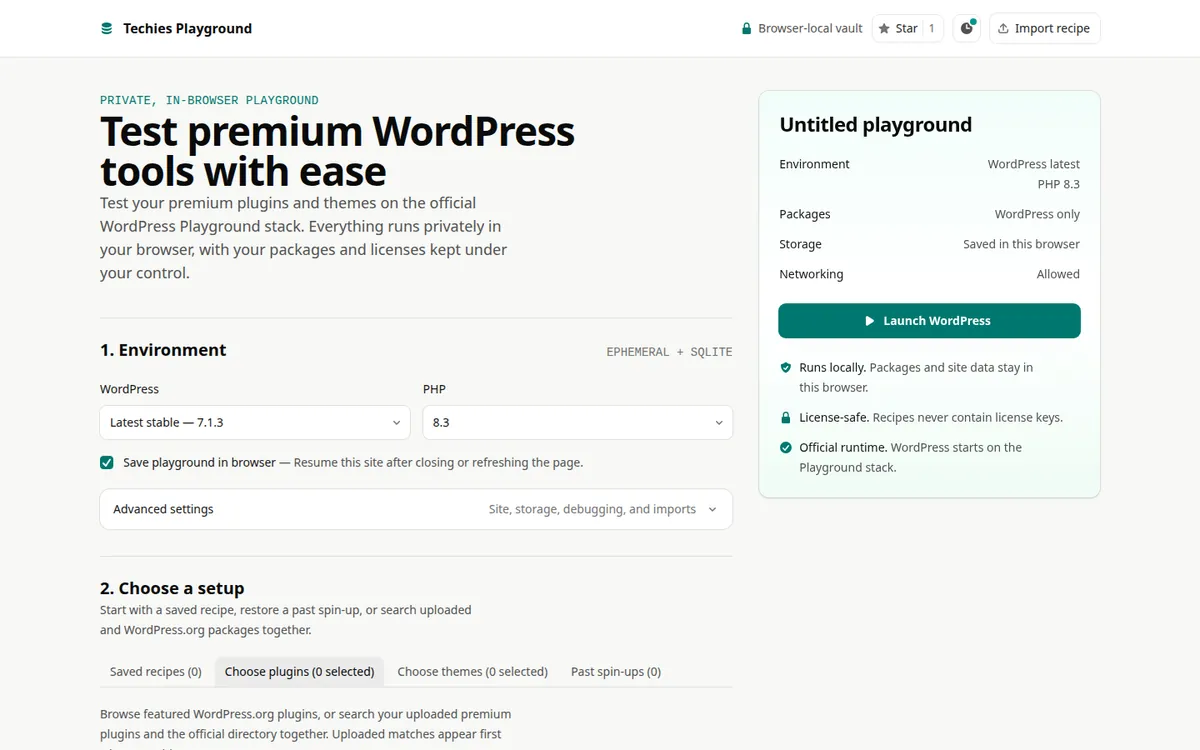
Start a WordPress test site in your browser with the premium plugins and themes you own.
Why it exists
The problem, and how Techies Playground fixes it
The problem
Trying a premium WordPress plugin usually means setting up a server and pasting licence keys into places they can leak from.
The fix
WordPress runs right in your browser tab. Plugins stay on your computer, and licence keys can live in an encrypted vault.
What it does
Everything in Techies Playground
Your plugin vault
Keep plugin and theme ZIPs in a local vault and search the WordPress.org directory.
Reusable recipes
Save a setup as a recipe and reopen any of your last 30 test sites.
Any WordPress version
Pick any version from 6.3 to the latest release, which updates by itself.
Encrypted licence keys
Store keys in a vault locked with a master password that is never saved.
Security and privacy
Where your data lives
- No server and no account. Nothing is uploaded to Techies.
- Licence keys are encrypted with a master password that is never stored.
- Plugin search talks directly to WordPress.org.
No ads, analytics, or tracking cookies. This page asks GitHub for the public star count.
Where to find it
Address, code, and price
- Address
- play.techies.tools
- Licence
- MIT: free to use and repurpose, at your own risk
- Price
- Free
Who makes this
Made by Lex
Hi, I'm Lex. I run Techies Reviews, where I test and explain web tools on YouTube and techies.review.
When a tool works well enough for me, I put it here for free, and I share its code on GitHub so you can see exactly what it does.

More from Techies